
Checklists sit on the document. A required list has to be finished before the document is submitted, unless that user is allowed to skip it.
A checklist belongs to a document type, such as a job card. Mark it required or optional. Required lists are shown on the document. Optional lists stay behind an Add optional checklist button until someone needs that list.
A required step that is still open blocks submission for a user who is not allowed to skip it. An optional step never blocks the document. It is there when the job needs it, and absent when it does not.
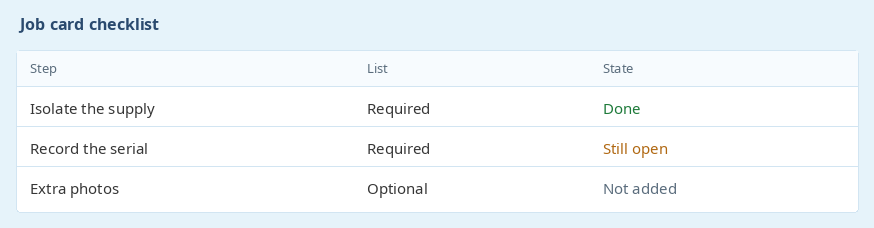
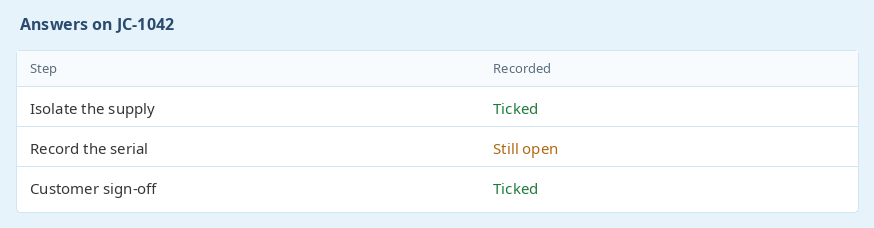
Completed answers are stored on that job card, so you can see what was ticked and what is still open. A user who does not have permission to submit without the required checklists has to finish them first.
Someone who only processes checklists, and does not edit the whole job card, can still be given that permission. They tick the steps without needing access to prices or to the rest of the document.
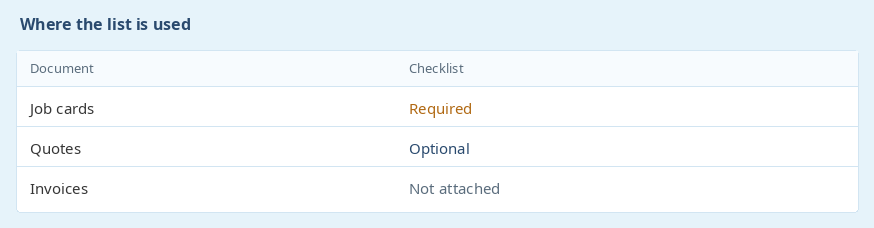
The same required and optional lists can be attached to the other document types that use checklists. Job cards are where workshops use them most.
A list is defined once and then chosen for the document types that need it. The answers recorded on a job card stay on that job card.
Ready to get started? Sign Up for Free
previous Asset managementnext Items booked in
Rudi Franz - Vaxolog (Pty) Ltd t/a Streamline DistributorsQuick and efficient support
Thanks its perfect. Thanks for your prompt response and help. Much appreciated.
Gheez, you are really going out your way to help! Thanks. Yes that is exactly what is needed, I fully understand the law as per below and agree. Thanks so much.